
For a single business
LedgerLine Sole Trader
Run your books in 10 minutes a week. Built for Australian sole traders who want their BAS, GST and tax return organised, not improvised.
What it is
A complete bookkeeping system for Australian sole traders
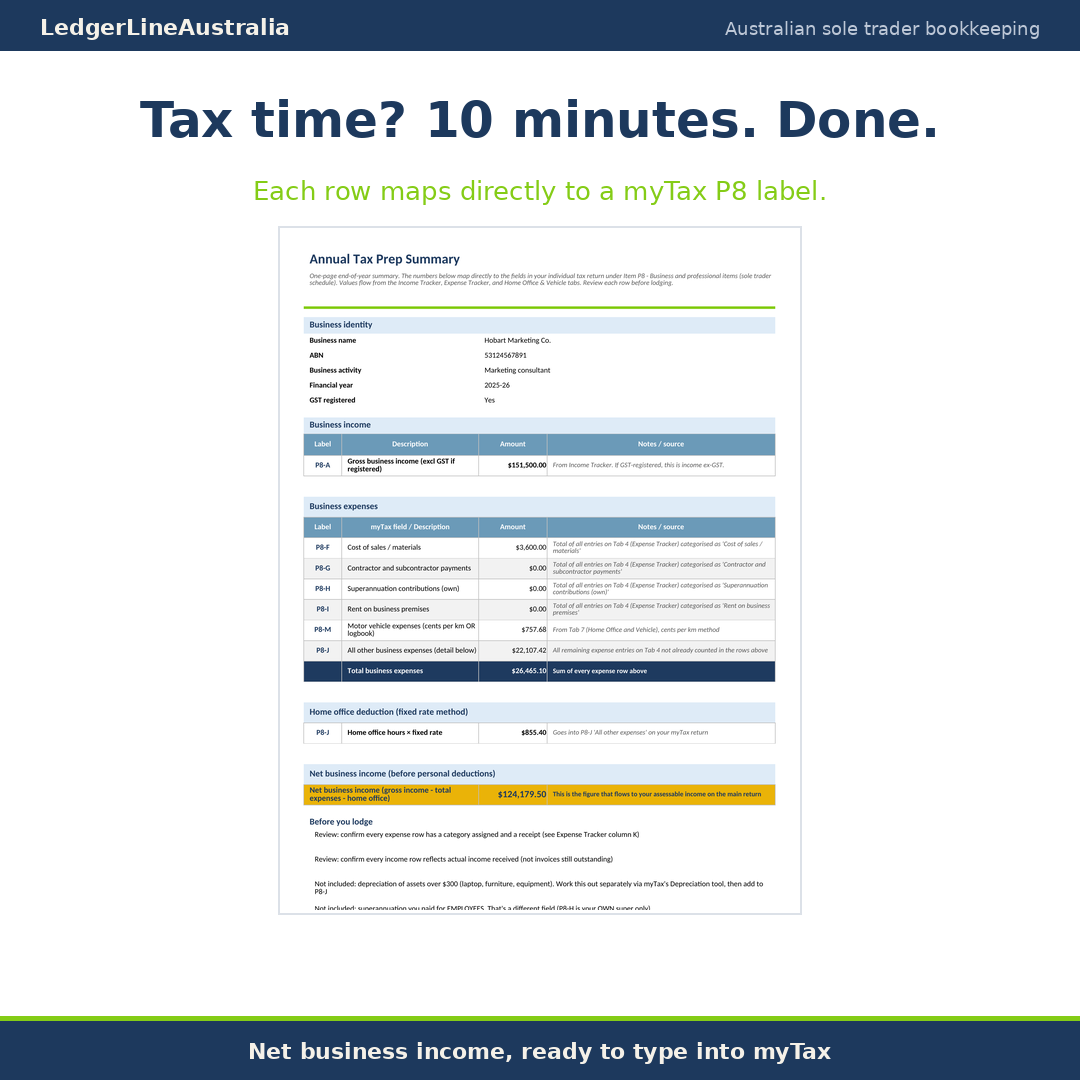
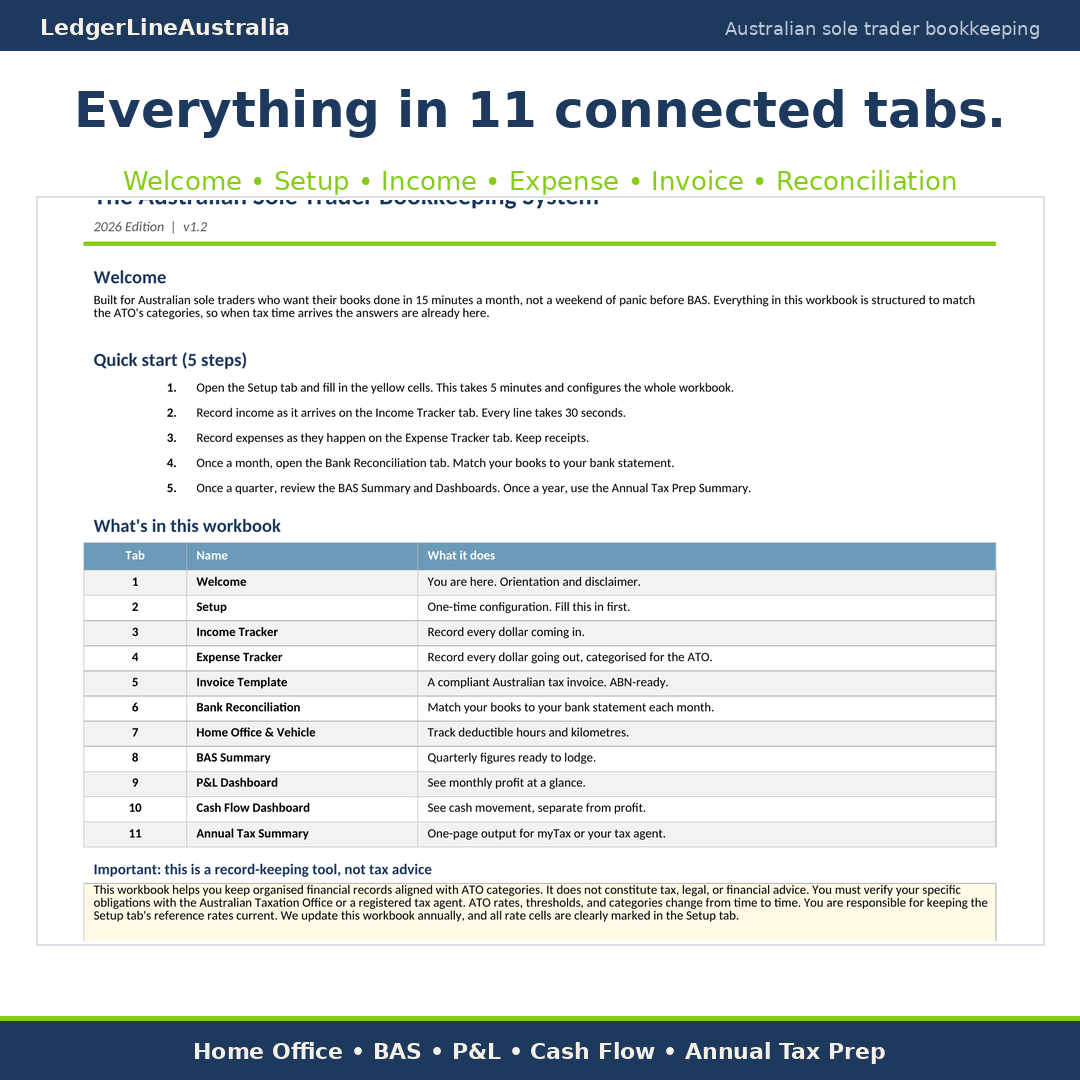
LedgerLine Sole Trader is a complete bookkeeping system designed from the ground up for Australian sole traders. Eleven connected tabs that handle income, expenses, GST, BAS, invoicing, reconciliation, cash flow and end-of-year tax prep. Every expense category carries the label from the ATO business schedule (P8), and the Annual Tax Prep tab lays your figures out under those labels for myTax or your agent.
It is a one-off purchase, not another monthly subscription. You own it outright, with no ongoing fees, and every July we email you a free ATO rate update so your figures stay current.
A look inside
Every screen, plain and clear
What you get
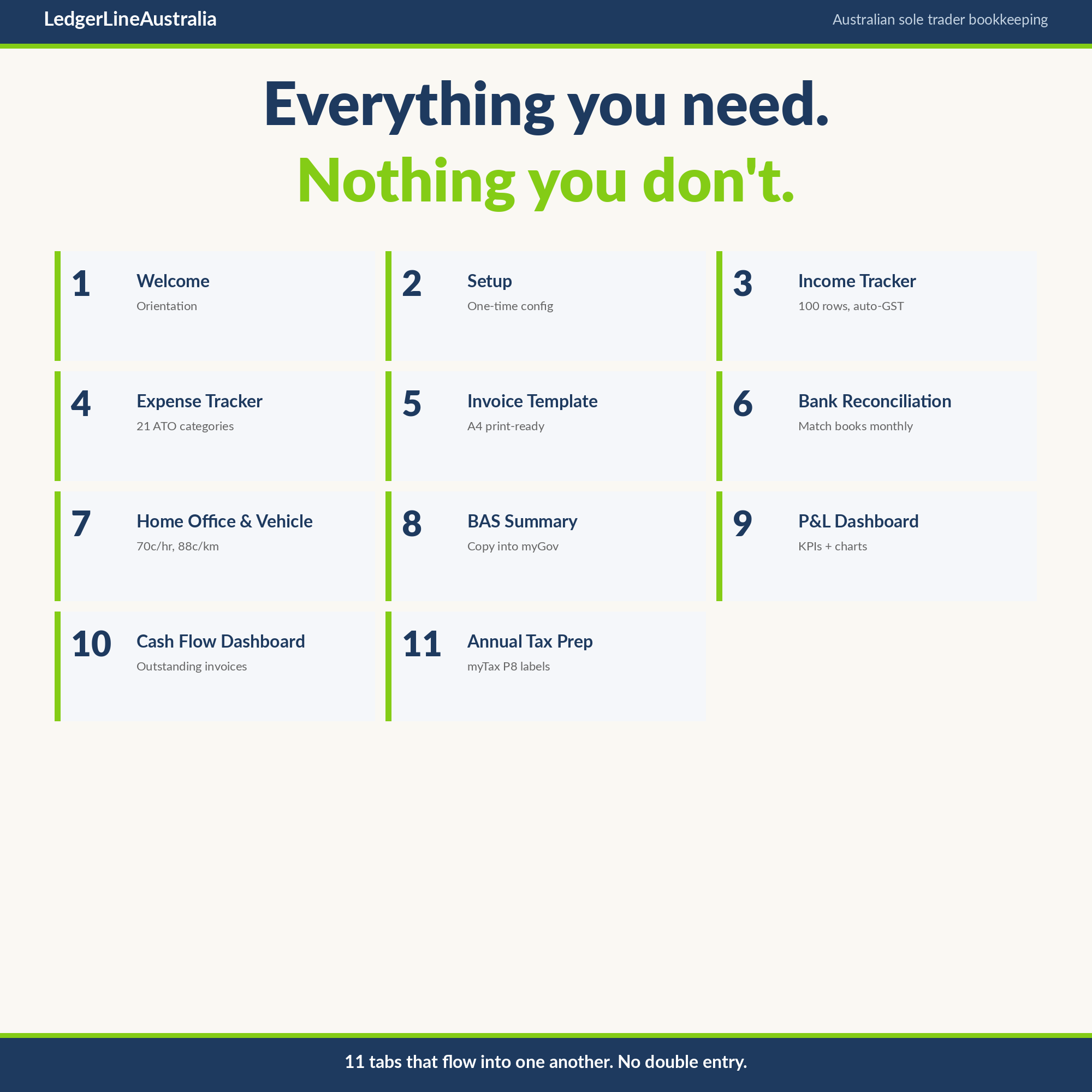
The 11 connected tabs
Welcome and orientation
Start here, with the free annual update signup.
Setup
One-time configuration: ABN, GST status and BAS frequency.
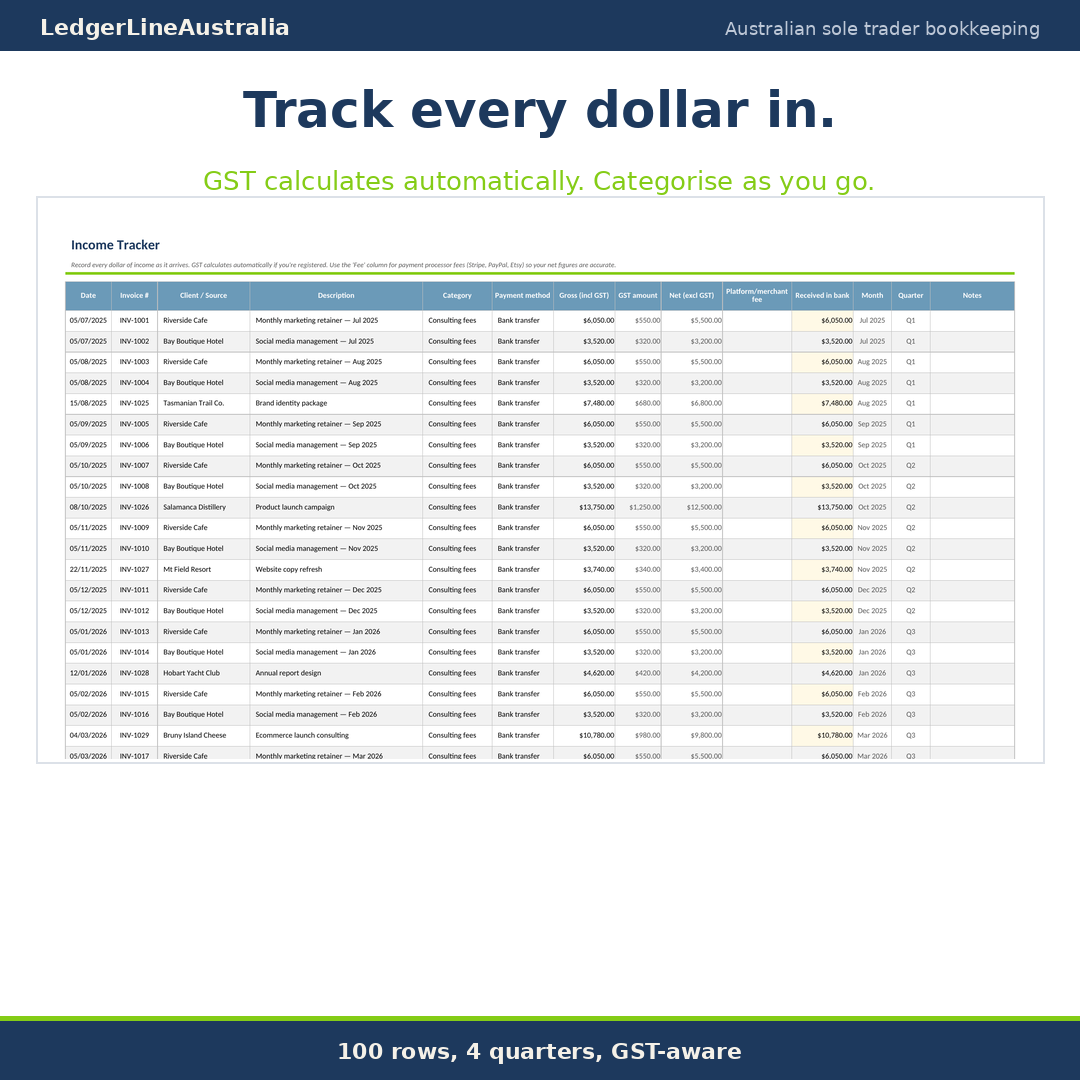
Income Tracker
With platform fee tracking and outstanding invoice logic.
Expense Tracker
Categorised against the ATO P8 schedule.
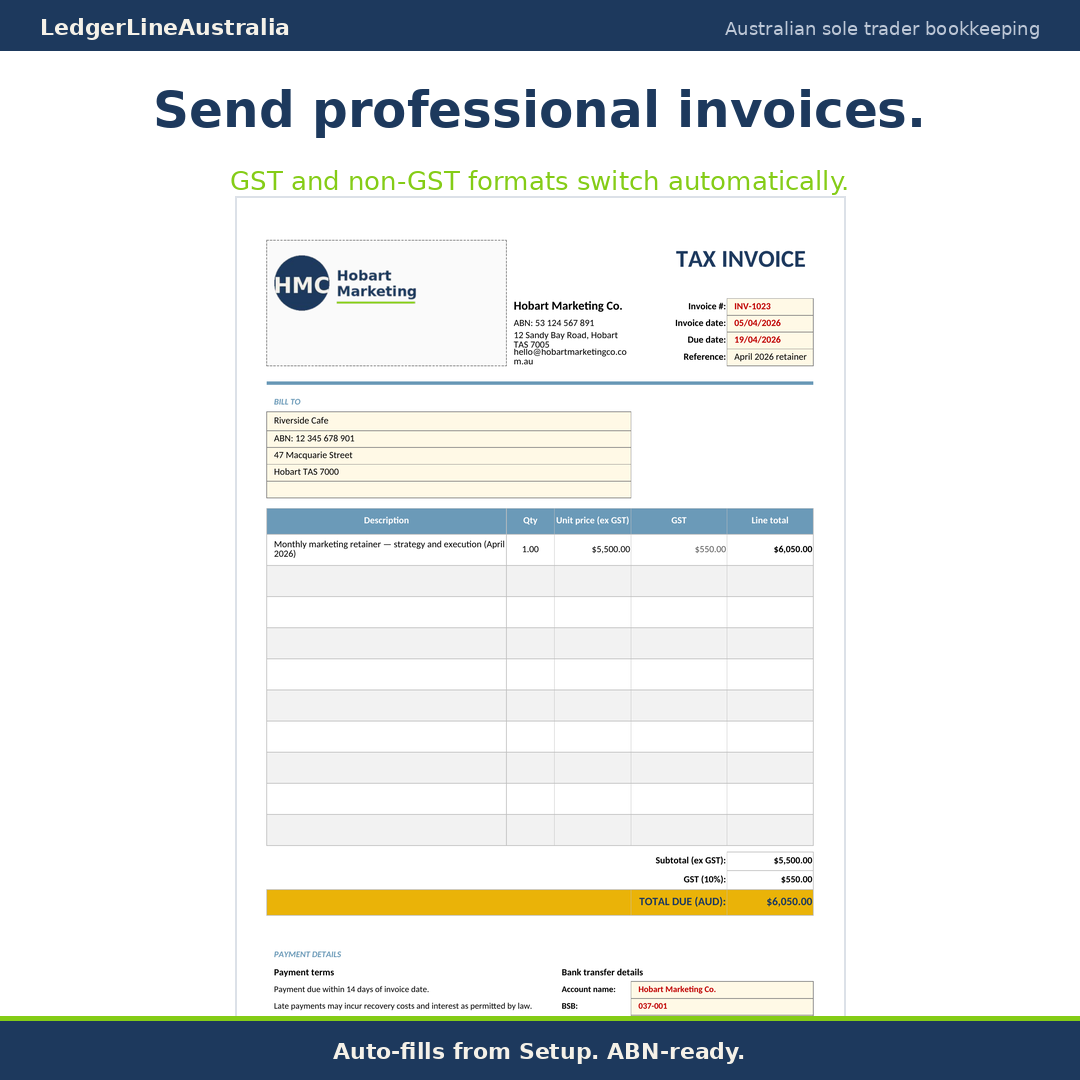
Tax Invoice Template
Auto-toggles between TAX INVOICE and INVOICE based on your GST status.
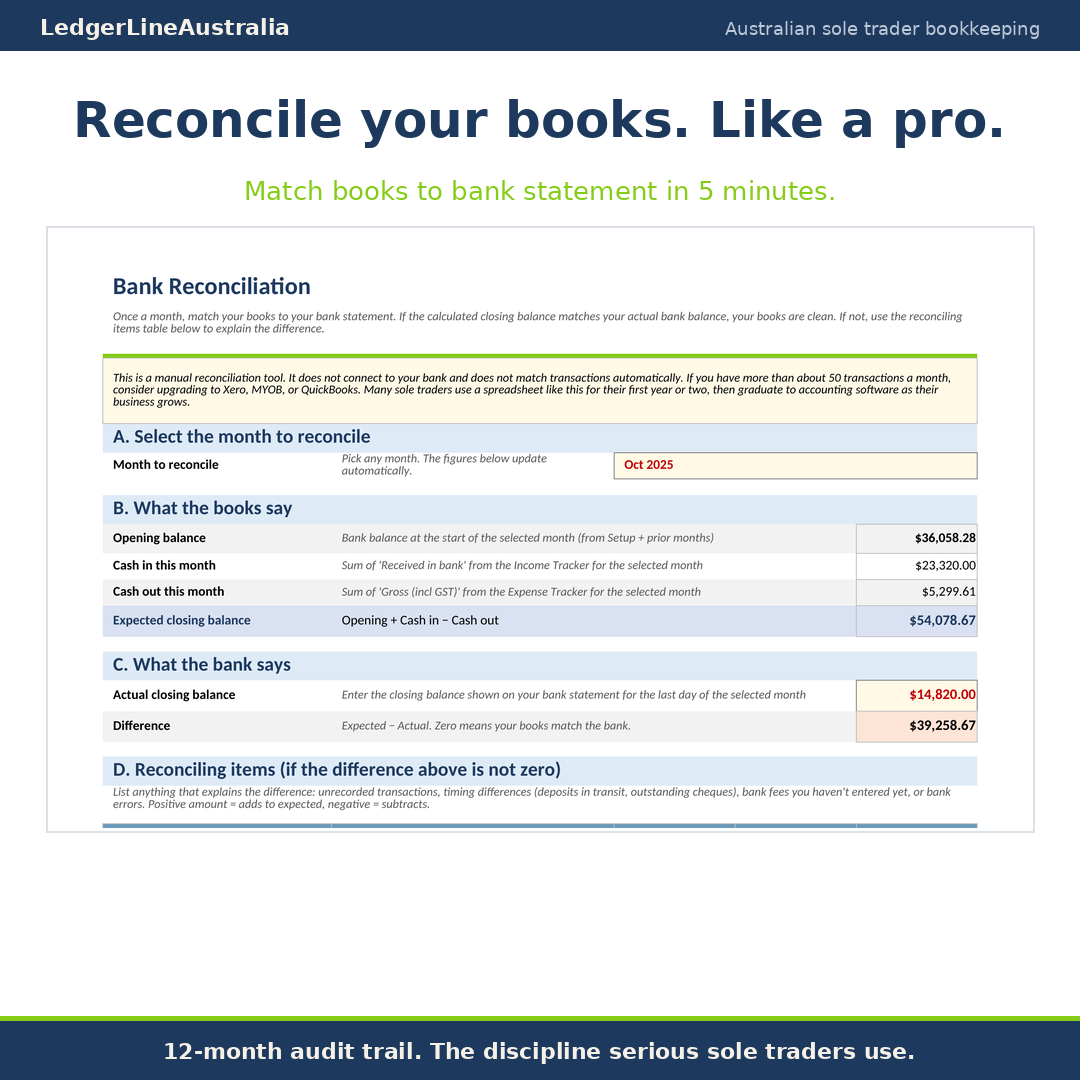
Bank Reconciliation
With a 24-month reconciliation history register.
Home Office and Vehicle Log
Cents-per-km, fixed rate and logbook methods.
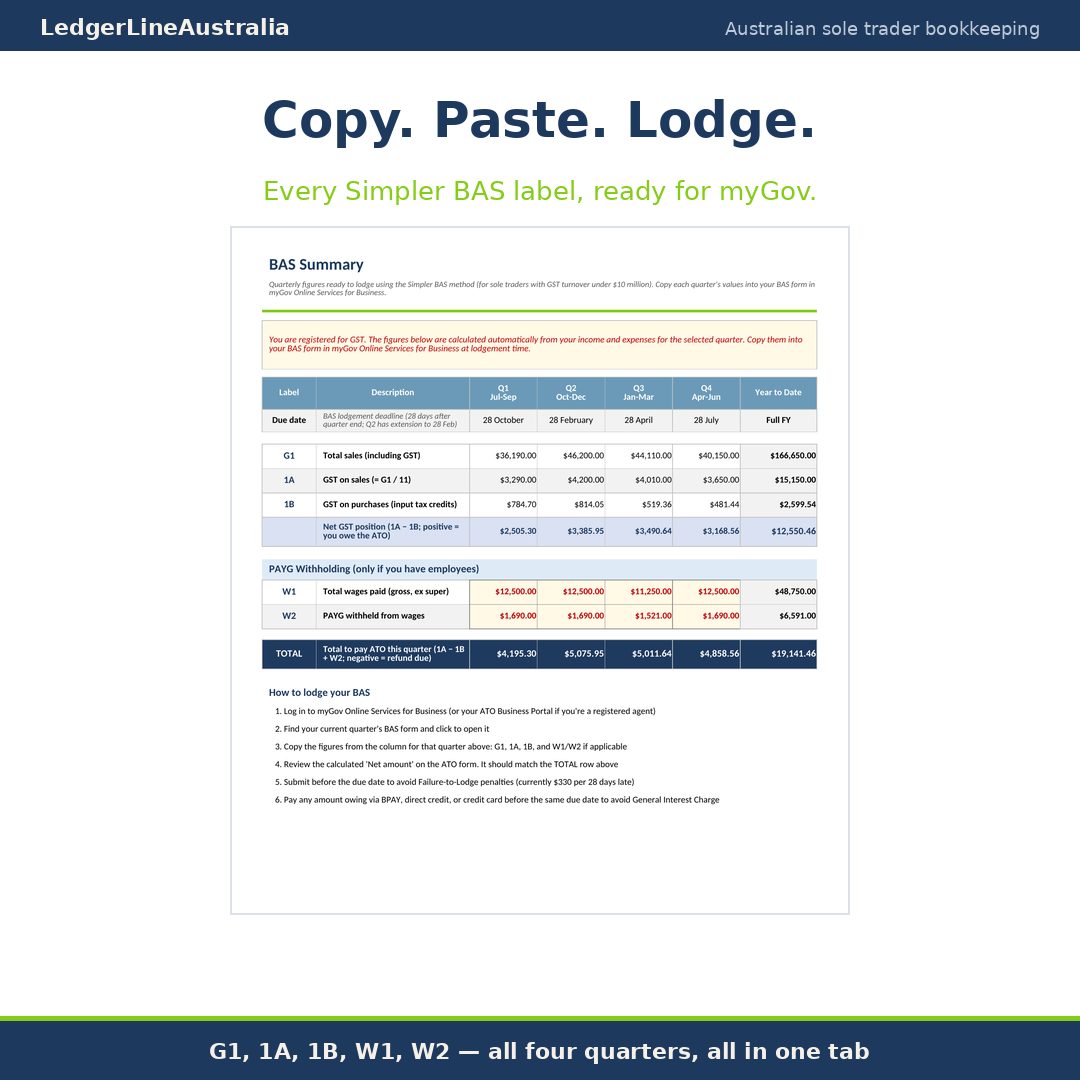
BAS Summary
Simpler BAS labels G1, 1A, 1B, W1, W2, quarterly and year-to-date.
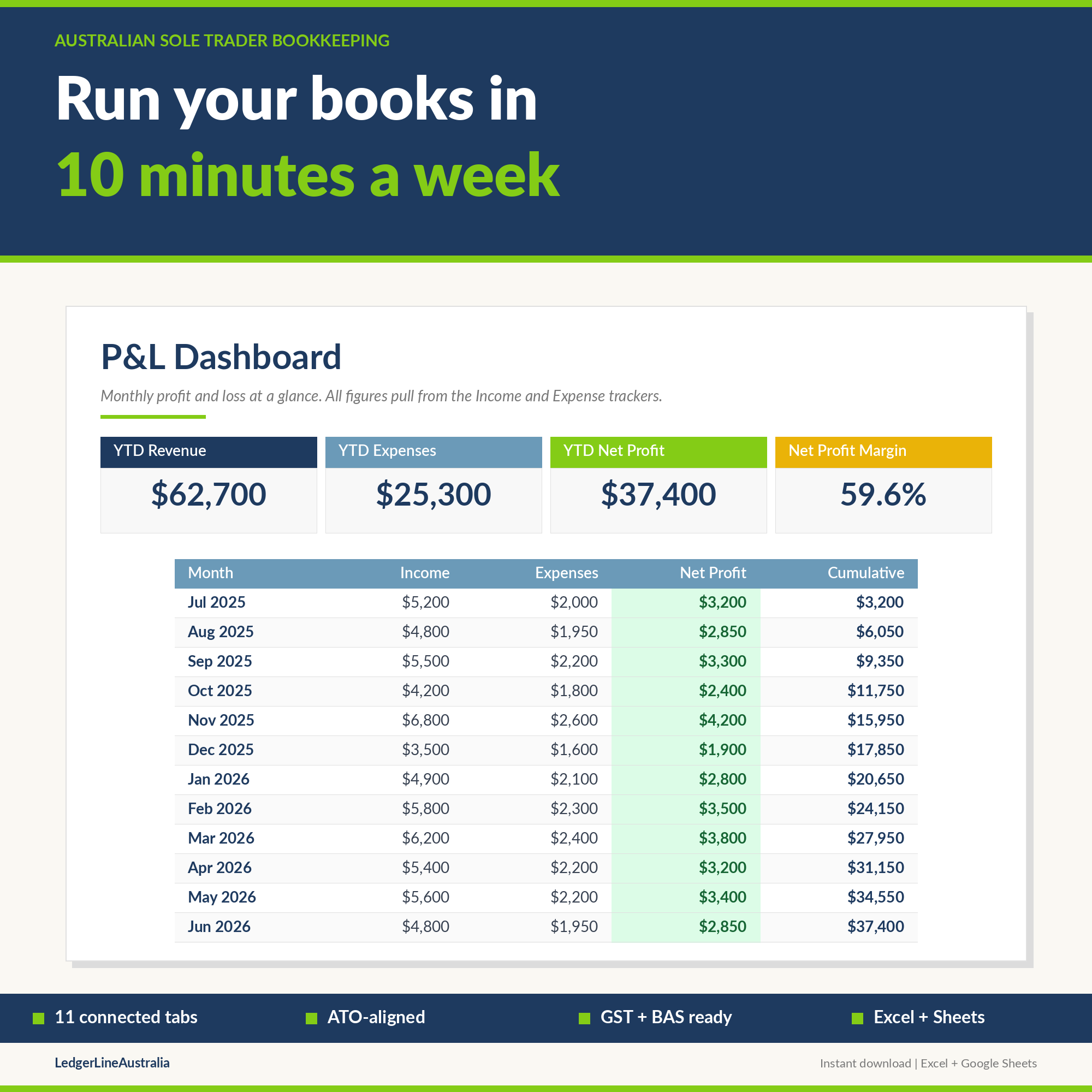
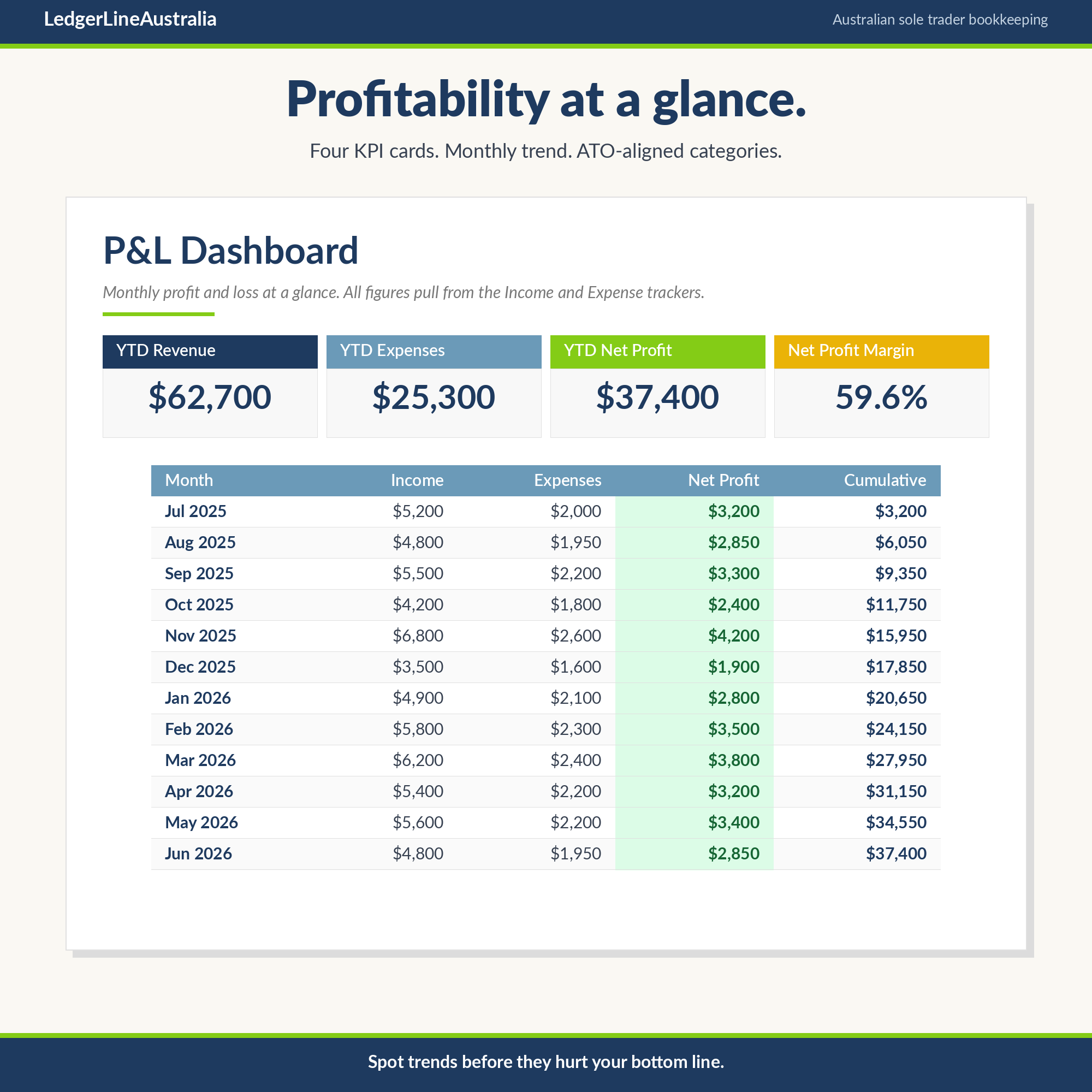
P&L Dashboard
KPI cards, monthly breakdown and year-to-date.
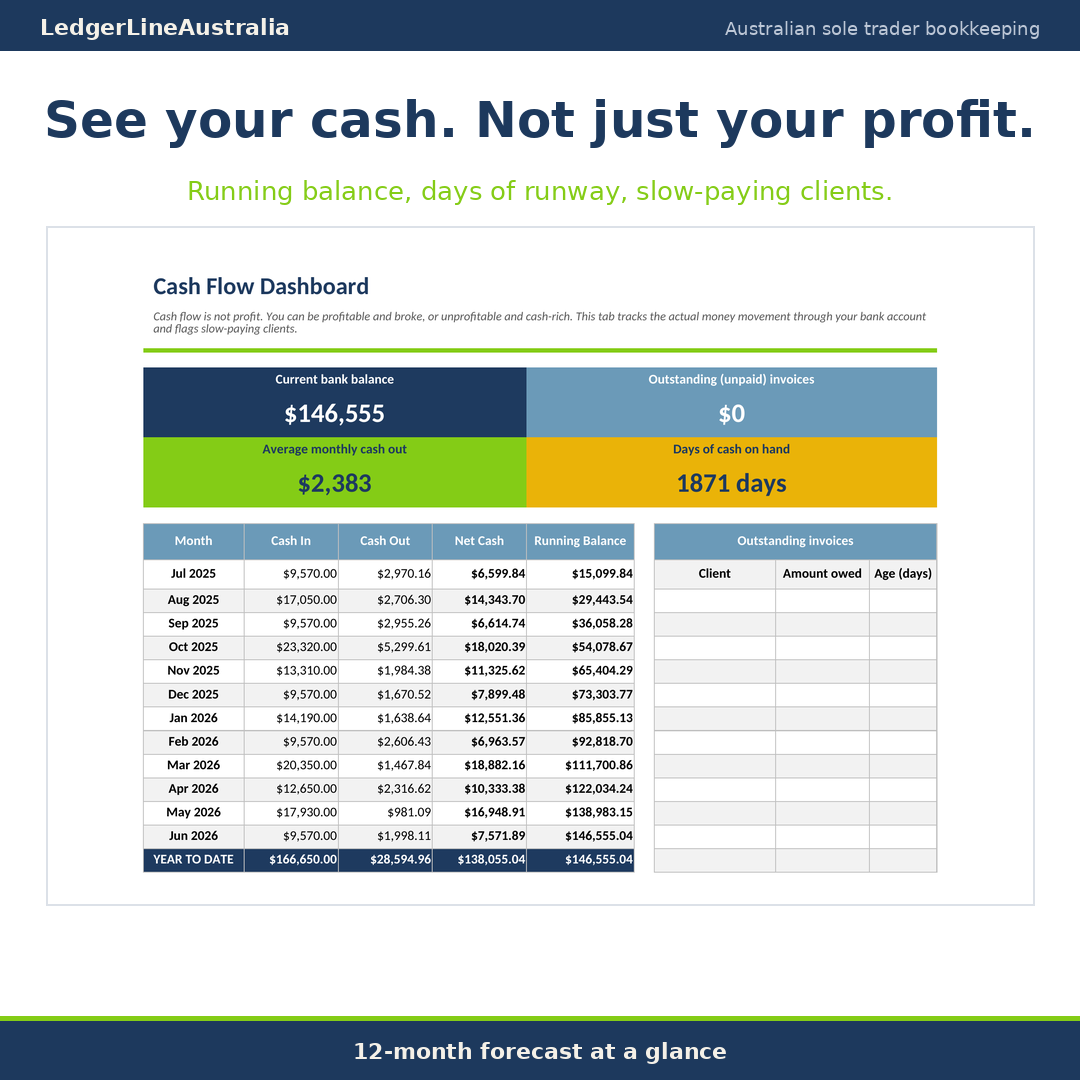
Cash Flow Dashboard
Running balance, outstanding invoices, days of cash on hand.
Annual Tax Prep Summary
A one-page output that maps to myTax or hands cleanly to your tax agent.
Who it is for
Made for everyday Australian sole traders
- ✓Freelancers and consultants invoicing clients in AUD
- ✓Tradies and contractors juggling material costs, vehicle kilometres and GST
- ✓Small retailers, makers and Etsy sellers tracking platform fees properly
- ✓New sole traders who want to learn the discipline before paying for Xero
- ✓Established sole traders who do not want a subscription for monthly bookkeeping
70 second explainer
Hear it from the person who built it
What the workbook does, in just over a minute, over screenshots of the tabs you will use every week.
The difference
Why this workbook beats the others
Australian-first
Every label, every formula and every date assumes an Australian sole trader. No US tax forms, no Schedule C, no UK VAT.
GST calculated correctly
GST uses the divide-by-eleven method, not a 10 percent multiplier, which is the wrong direction.
Bank reconciliation included
Most templates skip this. Reconciling monthly is what stops your figures drifting from reality.
Cash flow separated from profit
You can be profitable but broke. This workbook shows both pictures.
Built in plain English
Labels say money in and money out, with the formal accounting term in brackets. No jargon-first design.
How it works
Five simple habits
- 1
Open the Setup tab and fill in the yellow cells (about 5 minutes).
- 2
Record income and expenses as they happen (about 30 seconds per line).
- 3
Once a month, reconcile the bank and glance at the dashboards.
- 4
Once a quarter, copy the BAS Summary figures into myGov.
- 5
Once a year, hand the Annual Tax Prep Summary to your tax agent or paste into myTax.
Technical requirements
- Microsoft Excel 2016 or newer, or a free Google Sheets account.
- Works on Mac, PC and Linux.
- Not optimised for mobile data entry; use a desktop for accuracy.
What this product is not
- Not tax advice. We provide a record-keeping tool. Verify your obligations with the ATO or a registered tax agent.
- Not a replacement for Xero, MYOB or QuickBooks if your transaction volume is high or you need bank feeds.
- Not customised for trusts, companies or partnerships. This is built for sole traders only.
Questions
Frequently asked
Will this work in Excel and Google Sheets?
Yes. The workbook is built in .xlsx format and tested in both Microsoft Excel 2016 and newer and Google Sheets. To use it in Google Sheets, upload the file to your Drive and open with Google Sheets; the file converts automatically and all formulas continue to work.
I am not registered for GST yet. Is this still useful?
Yes. Set GST registered to No on the Setup tab and the GST columns calculate zero, the GST boxes on the BAS Summary stay blank (W1 and W2 still total if you pay employees), and the invoice switches to the non-registered format with the no-GST line. When you register, set it to Yes and enter your registration date: entries dated before it stay GST-free.
Do the ATO rates ever change?
Yes. The cents-per-kilometre rate, the home office hourly rate and occasionally the GST registration threshold get reviewed by the ATO. Every July we email purchasers a short note covering any change, usually about three cells on the Setup tab.
Are there macros?
No. Everything is live formulas, so it calculates the moment you open it. No macro warnings and nothing to enable.
I run more than one business. Should I buy this?
If you run two or more businesses under one ABN, the Multi-Entity edition is the better fit. This Sole Trader edition is built for a single business.
Verified buyers
Customer reviews
No reviews yet
Only verified buyers can review, and every genuine review is published. How our reviews work
Your BAS and tax, organised not improvised
A one-off purchase of $45 inc GST. Instant download, with your free ATO rate update every July.